
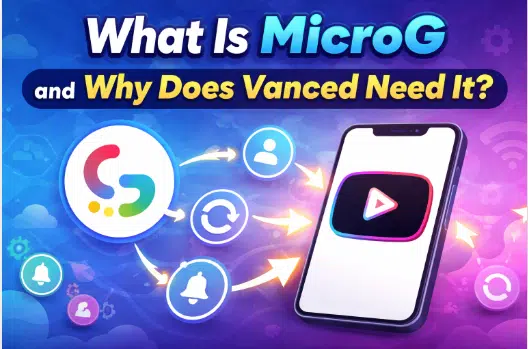
MicroG is an open-source replacement for Google Play Services that allows apps like YouTube Vanced to connect with Google accounts. If you’re planning to use it, you’ll first need the YouTube Vanced download to get started with the setup and understand how these components work together.
Vanced needs MicroG because it cannot use official Google libraries, so MicroG acts as a bridge to enable login, sync subscriptions, history, and notifications.
Without MicroG, you can still use Vanced but you won’t be able to sign in or access personalized features.
If you’ve ever tried installing YouTube Vanced, you’ve probably come across something called MicroG.
At first glance, it might feel confusing:
1. Why do you need an extra app just to use YouTube?
2. Is it safe?
3. Can you skip it?
These are common questions, especially for users new to modded Android apps.
The truth is, MicroG plays a crucial role in making Vanced actually usable beyond just watching videos. In this guide, we’ll break everything down in simple terms, no technical confusion, just clear understanding.
MicroG is a lightweight, open-source implementation of Google Play Services designed to replace Google’s proprietary background services on Android devices.
To understand this better, let’s simplify it. Most Android apps rely on Google Play Services to function properly. These services handle things like:
But MicroG recreates these functions without using Google’s official system.
In simple words:
MicroG = a bridge that connects apps to Google services without Google Play Services
MicroG includes a core component known as GmsCore, which mimics the behavior of Google Play Services.
Here’s what it does in real use:
Instead of relying on Google’s official backend libraries, MicroG provides a compatible environment where apps can still function.
Think of it like this:
If Google Play Services is the original engine, MicroG is a replica engine that keeps things running.
This is the key question.
YouTube Vanced is not an official app, it’s a modified version of the original YouTube app. Because of that, it cannot directly use Google Play Services.
Why? Because Google restricts access to its proprietary services for modified or unofficial apps.
Most users who go for a YouTube Vanced download often don’t realize that MicroG is required for login and full functionality.
Without Google Play Services:
MicroG replaces Google’s login system and allows Vanced to:
In short:
MicroG is what makes Vanced feel like a real YouTube experience, not just a basic video player.
Yes, YouTube Vanced can work without MicroG, but only in a limited way. Without MicroG, the app functions like a basic video player where you can watch and explore content, but it lacks important features such as Google account login, subscription access, and watch history synchronization. This means you won’t get a personalized experience. On the other hand, using MicroG enables full functionality, including smooth account integration, synced data, and better overall usability. So while MicroG is technically optional, it is practically necessary for most users who want the complete Vanced experience.
| Feature | Without MicroG | With MicroG |
| Watch Videos | Yes | Yes |
| Explore Content | Yes | Yes |
| Basic Features | Limited | Full |
| Google Account Login | No | Yes |
| Access Subscriptions | No | Yes |
| Sync Watch History | No | Yes |
| Personalized Experience | No | Yes |
| Overall Usability | Limited | Smooth & Complete |
So while MicroG is technically optional, for most users it’s practically required.
This is one of the most common concerns among users, and it’s completely valid, especially when installing third-party apps.
The good news is that MicroG is generally considered safe when used correctly. It is an open-source project, which means its code is publicly available and can be reviewed by developers and security experts. This transparency reduces the chances of hidden malware or malicious behavior. Additionally, MicroG has been widely used in Android communities for years, which adds to its credibility.
Unlike Google Play Services, MicroG is designed with a stronger focus on privacy and control. It does not rely heavily on background tracking and gives users more flexibility over permissions and data access.
However, there’s an important factor to understand:
MicroG itself is safe, but the source you download it from matters a lot.
Since it is often distributed as an APK file, downloading it from untrusted or unofficial websites can expose you to modified or unsafe versions.
In short, MicroG is safe by design, but your safety depends on how and where you install it from.
Let’s compare both MicroG vs Google Play Services to understand the difference:
| Feature | MicroG | Google Play Services |
| Type | Open-source | Proprietary |
| Tracking | Minimal | High |
| Compatibility | Limited | Full |
| Privacy | Better | Lower |
| Official Support | No | Yes |
MicroG focuses on privacy and flexibility, while Google Play Services focuses on full compatibility and control.
How to Install MicroG (Simple Guide)
If you’re planning to use Vanced, installing MicroG is straightforward.
Once installed, MicroG runs quietly in the background.
While MicroG usually works smoothly, some users may experience occasional issues, especially during setup or after updates. The good part is that most of these problems are minor and can be fixed quickly with a few simple steps.
One of the most common issues is being unable to sign in with a Google account. This usually happens due to outdated versions or improper setup.
Fix:
2. Sync Issues (History or Subscriptions Not Updating)
Sometimes your subscriptions, playlists, or watch history may not sync correctly. This is often caused by cache or background process issues.
Fix:
3. App Crashes or Not Opening
If the app crashes frequently or doesn’t open, it may be due to compatibility issues or outdated files.
Fix:
Overall, MicroG issues are usually temporary and easy to resolve. Keeping the app updated and properly configured helps ensure a smooth experience.
A common mistake many users make is skipping MicroG during installation.
They install Vanced, open it, and then get confused when the login doesn’t work.
The reality is simple:
Without MicroG, Vanced is just a limited app. If you want the full experience including your subscriptions, history, and recommendations, MicroG is essential.
MicroG is not just an optional add-on, it is a core component that allows YouTube Vanced to function properly. It acts as a bridge between Vanced and Google services, enabling essential features like account login, data synchronization, and notifications. Without MicroG, Vanced becomes limited and loses most of its personalized functionality. If you want a complete and smooth user experience with access to your subscriptions, history, and recommendations, installing MicroG is the right and practical choice.
MicroG is used to enable Google account login in YouTube Vanced. It helps sync your subscriptions, watch history, and allows notifications to work properly.
You only need MicroG if you want to sign in with your Google account. Without it, you can still watch videos, but you won’t get personalized features.
Yes, MicroG is generally safe because it is open-source and widely used. However, you should always download it from trusted sources to avoid any security risks.
Yes, but with limited functionality. You won’t be able to log in, sync your data, or access subscriptions without MicroG.
Vanced cannot use official Google Play Services due to its modified nature. MicroG replaces those services and allows secure Google account login.
No, MicroG only replicates some essential features of Google Play Services needed for specific apps like Vanced. It does not fully replace all Google services.
MicroG itself is an open-source project and legal to use. However, how it is used with certain apps may depend on local laws and app policies.
If MicroG is not working, you may face login issues, sync problems, or missing notifications. Reinstalling or updating MicroG usually fixes these issues.
MicroG works on most Android devices, but compatibility may vary depending on Android version and system settings.
MicroG is a lightweight, privacy-focused alternative, while Google Play Services is official, more powerful, and fully supported by Google.